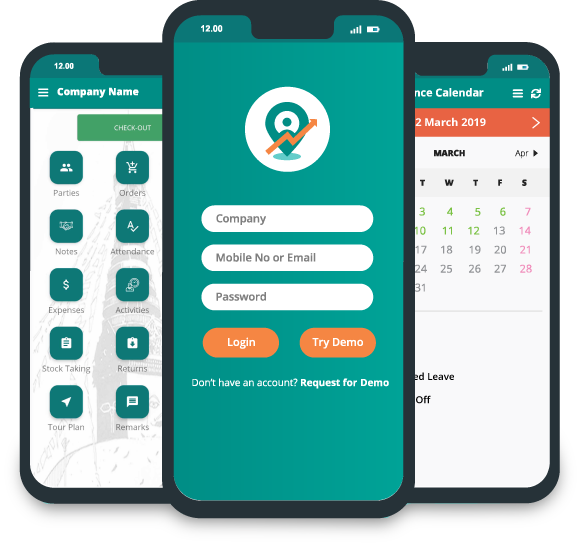

Field Sales App for Manufacturers: Requirements Checklist

Manufacturers often rely on field representatives to handle relationships with distributors, dealers, wholesalers, retailers, and direct business customers. These reps do more than just take orders. They keep customer relationships strong, share updates about products, check on payments, collect feedback from the market, and make sure products actually get to the correct customers.
As a manufacturer grows into new areas or brings on more distributors and reps, managing all of this becomes more difficult. Customer data ends up spread across spreadsheets. Field reps might show up late to appointments. Managers have a hard time knowing if scheduled visits are leading to real productive interactions with customers.
A field sales app designed for manufacturers helps organize all of these tasks into one workflow. Sales reps can plan visits, record orders, follow their assigned routes, and send in field reports. At the same time, managers gain clear visibility into how sales activities are being carried out in the field.
Not every manufacturer needs the tools, though. A company that sells through distributors has different needs compared to a manufacturer whose reps sell directly to industrial buyers. One that runs a nationwide network of dealers. The right app should match the way the business operates.
The right software fits your sales model, works with your existing systems, and gives your team the information it needs without adding steps nobody asked for. Use this checklist to evaluate potential solutions before you commit to one.
1. Map Your Sales and Distribution Model
Before choosing a field sales app, understand how your manufacturing business reaches its customers. Some manufacturers sell directly to retailers, while others rely on distributors, wholesalers, dealers, or multiple distribution channels. Each model creates different requirements for field sales teams. For example, a manufacturer selling through regional distributors may need visibility into distributor orders, retailer coverage, and territory performance. A business with a direct sales team may prioritize customer visits, order collection, and follow-ups with individual accounts. The software should support your existing sales structure without forcing your team to adopt workflows that do not fit its operations.
What to check:
-
Can the app accommodate direct sales, distributor-led sales, or a combination of channels?
-
Can you assign representatives to specific territories, distributors, or customer groups?
-
Can managers view sales activities across different regions and distribution channels?
-
Can the system accommodate changes as your distribution network expands?
2. Verify Distributor and Retailer Data Requirements
Manufacturers often manage several layers of customer relationships, from distributors and wholesalers to dealers and retail outlets. When these records are incomplete, duplicated, or poorly organized, sales representatives may struggle to identify the right customers, while managers find it harder to understand territory coverage.
A suitable field sales app should help organize customer records according to your business structure. Representatives should be able to access relevant customer information, identify assigned outlets, and record interactions against the correct account.
Before selecting a platform, examine how it handles your existing distributor and retailer database. If your business already maintains customer records in an ERP or another system, determine whether those records can be synchronized instead of entered manually.
What to check:
-
Can the app maintain separate records for distributors, dealers, wholesalers, and retailers where needed?
-
Can customers be mapped to the appropriate territories and sales representatives?
-
Can the system identify duplicate or incomplete customer records?
-
Can authorized users update customer information and review account history?
-
Can existing customer data be imported or synchronized from your current systems?
3. Check Product Catalogue and SKU-Level Order Handling
Manufacturers may sell multiple product lines, pack sizes, variants, and SKUs, each with different pricing or ordering requirements. A field sales app must handle this product complexity without making order entry unnecessarily difficult for representatives.

For instance, a beverage manufacturer may sell the same product in different pack sizes, while a packaging manufacturer may offer several specifications for different customers. Representatives need to select the correct product and quantity when recording orders.
Evaluate how the app presents the product catalogue and whether it supports the ordering rules relevant to your business. If prices vary by customer, channel, or agreement, confirm how those rules are maintained and whether the app can access the appropriate pricing information.
What to check:
-
Can representatives search and select products using names, codes, or SKU identifiers?
-
Can the catalogue accommodate different variants, pack sizes, and product categories?
-
Can the system apply customer-specific pricing or other relevant order rules where supported?
-
Can representatives review quantities and order details before submission?
-
Can product and pricing information be synchronized with your existing business systems?
4. Assess Distributor Order Workflows
Order capture is a critical part of field sales for manufacturers that depend on distributors, dealers, or wholesale partners. When representatives collect orders through calls, messages, or spreadsheets, information may need to be entered again into the company's order-processing system. This can create delays and inconsistencies.
A field sales app should make it easier for representatives to record orders during customer visits and submit accurate order details to the appropriate workflow. Depending on the manufacturer's processes, an order may require review, approval, stock confirmation, or further processing in an ERP.
The key is to understand what happens after a representative submits an order. Confirm whether the app integrates with the relevant systems and which steps remain manual. Do not assume that capturing an order automatically confirms stock availability or completes order fulfillment.
What to check:
-
Can representatives record orders against the correct distributor or customer account?
-
Can the app capture SKU details, quantities, and applicable pricing information?
-
Does the workflow support order review or approval where required?
-
How are submitted orders transferred to the ERP or order-processing system?
-
Can representatives and managers check order status if that capability is supported?
5. Evaluate Primary and Secondary Sales Visibility
Manufacturers need to understand not only how much product they sell to distributors but also how products move through the distribution network toward retailers. These are commonly referred to as primary and secondary sales.

Primary sales generally refer to sales from the manufacturer to a distributor. Secondary sales refer to sales from a distributor to retailers or other downstream customers.
Tracking only primary sales can leave manufacturers with an incomplete picture of market demand. A distributor may place a large order, but that does not necessarily mean the products are moving quickly at retail outlets. Without reliable secondary sales information, managers may struggle to identify slow-moving products, gaps in retail demand, or territories that need additional attention.
When evaluating a field sales app, determine which sales data it captures directly and which data must come from distributors, an ERP, or another connected system. The distinction matters because the availability and accuracy of secondary sales data depend on how the business collects and integrates that information.
What to check:
-
Can the system record or access primary sales data?
-
Can secondary sales information be captured or imported from the relevant sources?
-
Can managers compare sales performance across distributors, territories, products, and retailers?
-
Can reports help identify differences between distributor purchases and downstream sales?
-
How frequently is sales information updated, and what data remains unavailable?
6. Check Distributor Stock and Replenishment Visibility
Distributor stock availability directly affects how effectively manufacturers serve their markets. If a distributor runs out of a fast-moving SKU, retailers may be unable to replenish their shelves. At the same time, excess stock of slower-moving products can tie up working capital and make demand planning more difficult.
A field sales app can help managers assess these issues only when it has access to relevant and sufficiently current stock information. During software evaluation, establish whether distributor inventory is recorded in the app, synchronized from an ERP or distributor management system, or maintained elsewhere.
Also consider how stock information can support decisions made by field representatives. For example, visibility into available products may help them discuss replenishment needs with distributors and identify potential supply gaps. However, the usefulness of this information depends on update frequency, data accuracy, and the integration available.
What to check:
-
Can the app access distributor stock data through its own functionality or an integration?
-
Is stock visibility available at SKU and distributor level?
-
How frequently are stock records updated?
-
Can managers identify potential shortages or excess stock using available reports?
-
Can stock information be compared with orders and secondary sales data where those records are available?

7. Match Field Activities to Distribution Objectives
For manufacturers, field sales activity should contribute to distribution coverage and customer servicing rather than simply generating a record of employee movement. Representatives may need to visit distributors, meet retailers, collect orders, follow up on previous orders, or support product availability and market execution.
A field sales app should help managers understand whether planned activities are taking place and whether the team is reaching its assigned customers. Visit records, activity reports, and territory-level visibility can help identify missed outlets, irregular distributor servicing, and areas that require attention.
The goal is to connect field activity with the manufacturer's sales objectives. For example, a manager may want to assess whether representatives are covering priority retailers or following up with distributors who have not placed expected orders.
What to check:
-
Can managers assign and review planned customer or distributor visits?
-
Can representatives record visit outcomes and follow-up requirements?
-
Can the system provide visibility into outlet coverage across territories?
-
Can managers compare planned activities with completed visits?
-
Can field activity reports be reviewed alongside relevant order and sales data?
8. Verify ERP and Existing-System Compatibility
Many manufacturers already use an ERP or other business software to manage products, customers, pricing, inventory, invoicing, and order processing. A field sales app should fit into this existing technology environment rather than create another disconnected source of information.
Integration requirements will vary by business. Some manufacturers may need product and customer records synchronized with the ERP, while others may also require order transfer, pricing updates, distributor information, or sales reporting. Confirm which data can move between systems and in which direction.
Do not evaluate integration based on the word "integration" alone. Ask the vendor to explain the supported systems, synchronization frequency, data mapping, error handling, and any additional configuration required. A demonstration using your actual workflow can help reveal gaps before implementation.
What to check:
-
Which ERP and business systems can the app integrate with?
-
Which records can be synchronized, such as products, customers, pricing, and orders?
-
Is synchronization automatic, scheduled, or dependent on manual action?
-
How are failed updates, duplicate records, and data conflicts handled?
-
Are additional development, setup fees, or third-party connectors required?
9. Evaluate Sales Data Quality and Operational Reporting
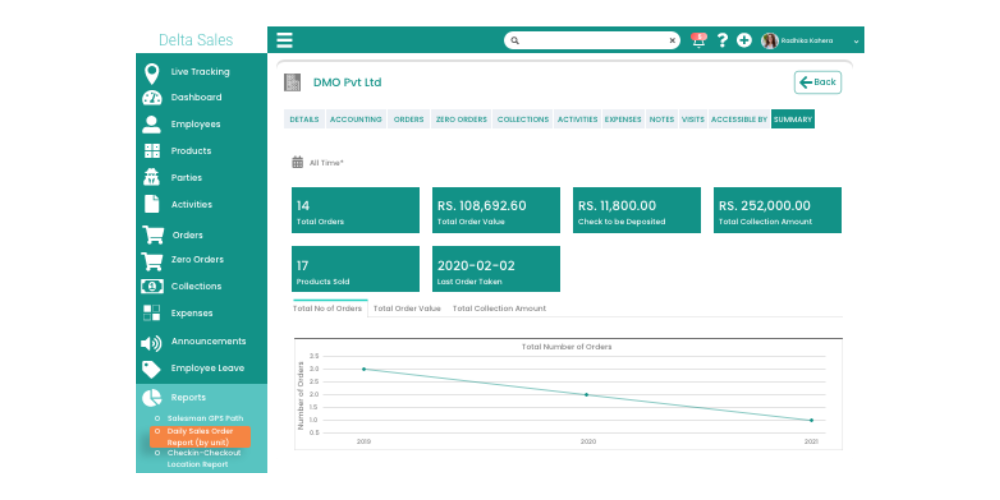
Sales reports and analytics are only useful when the underlying data is accurate, consistent, and available at the right time. Manufacturers may receive information from field representatives, distributors, and internal business systems. If these sources contain conflicting customer records, incomplete orders, or inconsistent product codes, managers may struggle to make reliable decisions.
A field sales app should help standardize the information collected by representatives and make it easier to review sales activities and operational performance. However, it is important to distinguish between reports generated directly by the app and reports that depend on data supplied by external systems.
Evaluate the reports your managers actually need rather than choosing software based on the number of dashboards available. Relevant views might include territory coverage, distributor orders, retailer visits, order follow-ups, and product-level sales performance.
What to check:
-
Can managers review sales and activity data by representative, territory, distributor, and product?
-
Can the app flag missing or incomplete information where supported?
-
Can managers compare field records with data from connected systems?
-
Are reports available at the level of detail required for operational decisions?
-
Can authorized users export or share reports for further analysis?
10. Confirm Support for Multiple Brands, Territories, and Channels
As a manufacturing business expands, its sales structure may become more complex. The company might manage multiple brands, product divisions, regional distributors, dealer networks, and sales channels. Software that works for one small team may not automatically accommodate these organizational requirements.
Before selecting a field sales app, assess whether its configuration matches your current structure and anticipated changes. For example, a manufacturer may need regional managers to view their assigned territories while senior management requires a broader overview. Different teams may also need access to different product groups or customer records.
The important consideration is whether the software can organize information and permissions around the way your business operates, without creating unnecessary administrative work.
What to check:
-
Can the system organize users and sales activities by region, team, or territory?
-
Can it accommodate multiple brands or product divisions where required?
-
Can customer and distributor assignments reflect your distribution structure?
-
Can user permissions be configured according to job responsibilities?
-
Can new territories, users, and sales channels be added without redesigning the entire setup?
11. Validate Field Conditions and Order Reliability
Manufacturing sales representatives often work across different towns, industrial areas, distributor locations, and retail markets. Network quality may vary during the working day, so the mobile app must perform reliably under the conditions in which representatives actually operate.
During evaluation, test the workflows that matter most: opening customer records, viewing product information, recording visits, entering orders, and synchronizing data. If offline functionality is important, verify exactly which features remain available without an internet connection and what happens when connectivity returns.
Do not assume that an app offering offline access supports every action offline. Order submission, pricing updates, stock information, and approval workflows may depend on a live connection or require later synchronization.
What to check:
-
Which features remain available when the device has no internet connection?
-
Can representatives save permitted activities or orders and synchronize them later?
-
How does the app handle conflicting updates or failed synchronization?
-
Can users identify whether an order has been saved, submitted, or successfully synchronized?
-
Has the app been tested on the devices and network conditions used by your team?
12. Plan Implementation Around Manufacturing Sales Operations
Selecting suitable software is only part of the process. Manufacturers must also prepare their customer data, product catalogue, existing-system integrations, sales workflows, and employees before rollout. Poor implementation planning can delay adoption even when the software's capabilities are appropriate.
Start by identifying the teams involved in the deployment, including sales management, field representatives, IT, and the people responsible for ERP or distributor-system integration. Define which data will be migrated, which workflows will be configured, and how the business will test the solution before expanding its use.
A phased rollout may help the organization identify problems in customer assignments, order processing, reporting, or synchronization before deploying the app across all territories. Training should also reflect the tasks representatives perform every day, rather than focusing only on a general product demonstration.
What to check:
-
What support is available for data migration and initial configuration?
-
Who is responsible for ERP integration and testing?
-
Can the app be piloted with a representative group before a wider rollout?
-
What training and onboarding resources are provided to field teams and managers?
-
What ongoing technical support, maintenance, and troubleshooting are included?
-
What are the expected implementation timeline, costs, and responsibilities for both parties?
How Delta Sales App Can Support Manufacturers
Manufacturers that manage distributors, dealers, wholesalers, or retail-facing sales representatives need a consistent way to organize field activities and capture sales information.
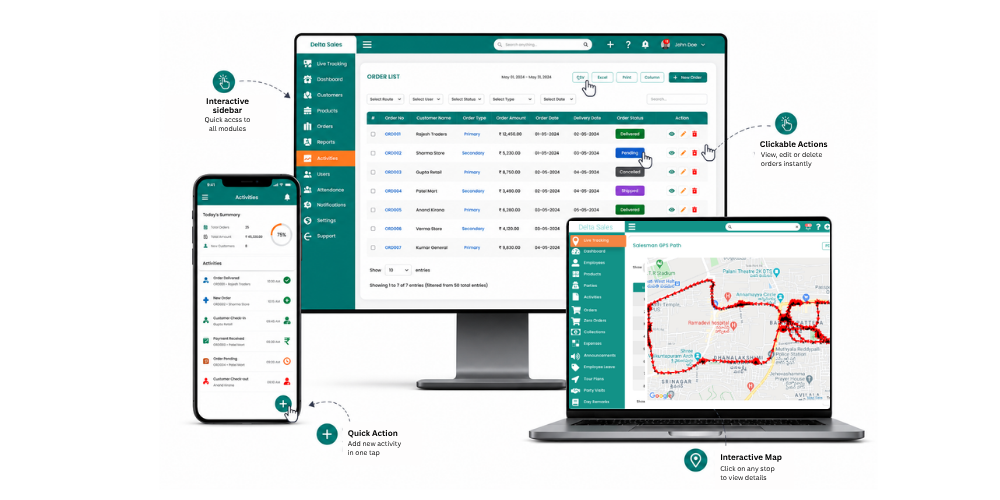
Delta Sales App provides field sales and distribution workflows that can help address several of these requirements.
-
Customer and Party Management
Organize customer information, including distributor, wholesaler, dealer, and retailer records, in one accessible system. Representatives can review relevant customer details during field visits, while managers can maintain clearer visibility into customer assignments, territory coverage, and distributor relationships. This helps reduce reliance on scattered spreadsheets and makes customer information easier to manage as the distribution network grows.
-
Beat Planning and Field Activity Tracking
Plan sales routes, assign territories, and schedule customer visits according to business priorities. Field activity tracking helps managers review completed visits, identify missed outlets, and understand whether representatives are covering their assigned markets. For manufacturers working with multiple distributors and retail networks, this visibility can support more organized field operations and better customer coverage.
-
Order Capture and Collection Records
Digitize order entry so representatives can record customer orders during field visits instead of relying entirely on calls, messages, or paper-based records. Depending on the platform's capabilities, teams can capture product details, quantities, and applicable pricing information, while also recording payment collections where supported. This can reduce repetitive data entry and make order and collection records easier for managers to review.
-
Attendance and Reporting
Manage field attendance and review sales activities through a centralized platform. Depending on the available features, managers can monitor attendance records, completed visits, orders, collections, and representative performance reports. Bringing these records together helps manufacturers understand field execution, compare activity across territories, and identify areas that may require follow-up or operational improvement.
Choose the Right Field Sales App for Your Manufacturing Business
The right field sales app helps manufacturers manage distributor relationships, track primary and secondary sales, streamline order management, and improve visibility across field operations. Before choosing a solution, evaluate its features, ERP compatibility, reporting capabilities, and ability to support your growing business.
Delta Sales App helps streamline field sales activities, monitor sales performance, and improve distributor and retailer management through better field visibility.
Ready to simplify your manufacturing sales operations? Book your free demo of Delta Sales App today.