How to Integrate Sales Force Automation Software with ERP Systems
Sales teams generate useful operational data every single day. Reps log retailer visits, place orders, track payment collections, and submit daily sales reports. Meanwhile, finance and operations run an Enterprise Resource Planning (ERP) system for inventory, invoicing, accounting, procurement, and distribution. When the two operate independently, the information fragments. A rep places an order at an outdated product price while the ERP holds a different rate. Distributor stock figures don't match between systems, and sales and operations both lose time verifying records by hand.
Integrating Sales Force Automation software with an ERP connects field activity to the company's central operations. Customer records, product details, sales orders, and payment collections can move between the two without anyone re-entering them. But a successful integration takes more than wiring two applications together. A business has to decide which data should sync, how often it should move, and how errors and offline transactions get handled.
This blog covers how to integrate SFA software with an ERP, including integration methods, data mapping, implementation steps, and practical considerations for FMCG companies, manufacturers, wholesalers, and distributors.
What Should You Settle Before Connecting the Two Systems?
Before starting an integration project, establish the technical requirements and responsibilities of both systems. These decisions help prevent compatibility issues and unnecessary development work.
Which ERP, Which Version, and What Access It Allows
Start by identifying the ERP platform and version your business currently uses. Common ERP platforms include SAP, Oracle NetSuite, Microsoft Dynamics 365, and Odoo. Each has different integration capabilities, authentication requirements, and data structures. Your IT team and ERP vendor should confirm:
-
ERP product name, edition, and version.
-
Availability of APIs or web services.
-
Authentication and access requirements.
-
Access to customer, product, pricing, and inventory records.
-
API rate limits and transaction restrictions.
-
Availability of a testing environment.
-
Whether custom development is required.
Also, determine whether your ERP is cloud-based or hosted on-premises. An on-premises installation may require additional network configuration or middleware to communicate with a cloud-based SFA application. These details help determine which integration method is technically practical.
Who on Your Side Owns the Integration
An ERP-SFA integration involves several departments. Sales operations, finance, IT, inventory management, and distribution teams all depend on the information being exchanged. Assign responsibilities before development begins.
-
IT team: Coordinates technical requirements, access permissions, security, and testing.
-
ERP vendor: Provides documentation, API access, and technical support.
-
SFA provider: Explains integration capabilities, data fields, and synchronization methods.
-
Sales operations: Defines field sales workflows, customer requirements, and reporting needs.
-
Finance team: Validates pricing, taxes, payment records, and financial transactions.
-
Inventory team: Confirms stock information, warehouse records, and order requirements.
Appoint one internal project owner to coordinate these responsibilities, track issues, and approve important integration decisions.
Which System Is the Source for Customer, Product, and Price Data
Establishing which system controls each type of information is essential. For example, your ERP may manage product codes, approved pricing, and financial records, while the SFA application manages field visits, beat plans, and sales representative activities. Without clear ownership, both systems may overwrite each other's information and create inconsistent records.
Which Data Should Sync, and in Which Direction?
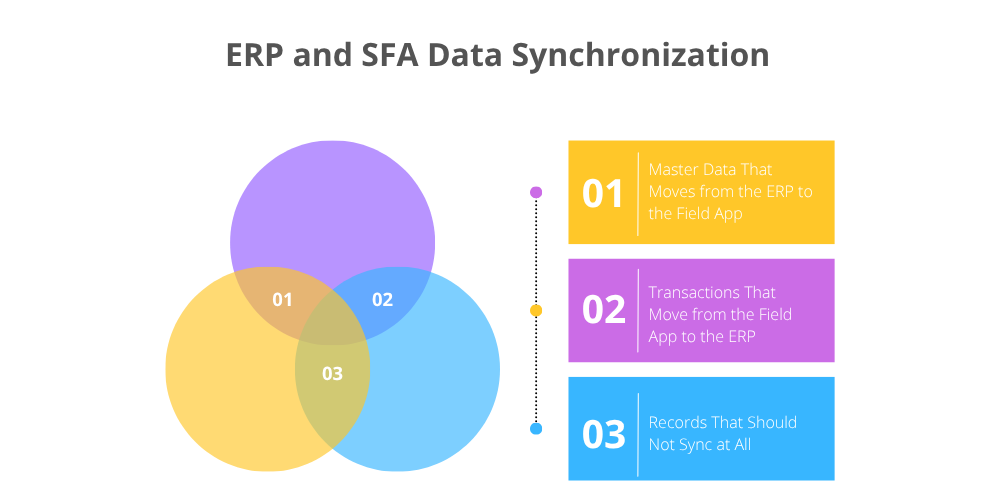
Not every record needs to move between an SFA application and an ERP. Focus on the information the business actually needs to run. Most integrations come down to three categories: master data, transactional data, and records that should stay in the system where they originated.
1. Master Data That Moves from the ERP to the Field App
Master data provides the information representatives need to perform their daily activities. It generally moves from the ERP system to the SFA application. Common examples include:
-
Customer records: Customer IDs, outlet names, addresses, contact details, and distributor assignments.
-
Product information: SKU codes, product names, descriptions, pack sizes, and units of measurement.
-
Pricing information: Approved price lists, retailer-specific rates, discounts, and applicable taxes.
-
Distributor details: Distributor codes, contact information, assigned territories, and warehouse information.
-
Inventory information: Available stock and warehouse balances, where supported.
-
Sales territories: Assigned regions, customer classifications, and organizational structures.
For example, when an FMCG company introduces a new beverage SKU, the ERP stores its product code, description, and approved price. Once synchronized, the new product becomes available in the field sales application. Representatives can then include it in retailer orders without manually entering product information. The same process applies when customer details, pricing categories, or distributor assignments change.
2. Transactions That Move from the Field App to the ERP
Field representatives generate transactional data during retailer visits and other sales activities. These records generally move from the SFA application to the ERP system. Common transactions include:
-
Sales orders: Retailer orders containing SKU codes, quantities, prices, and discounts.
-
Payment collections: Amounts collected, payment methods, and transaction references.
-
Sales returns: Returned products, quantities, and return reasons.
-
Visit records: Visit dates, outlet details, timestamps, and visit outcomes, where required.
-
Sales expenses: Field expenses submitted for accounting or reimbursement.
-
Order amendments: Approved changes to products, quantities, or other order details.
3. Records That Should Not Sync at All
Not every record needs to be synchronized between ERP and SFA systems. Transferring unnecessary information can increase integration complexity, consume system resources, and create additional data management requirements. Some records are specific to the functions of each application and should generally remain within their original systems. For example, GPS movement history, beat plan execution, visit photos, sales activity logs, and route monitoring information are primarily SFA-specific records. Similarly, general ledger details, procurement workflows, fixed asset registers, payroll calculations, and production planning records are generally managed within the ERP system.
However, this does not mean these records can never be integrated. For instance, an ERP system may need approved attendance summaries from the SFA application for payroll processing, but it may not require every GPS location update recorded by the field sales team. The practical approach is to synchronize only the information that another system needs to complete a specific business process while keeping unrelated operational details within their original applications.
Which Method Should You Use to Connect SFA and ERP?
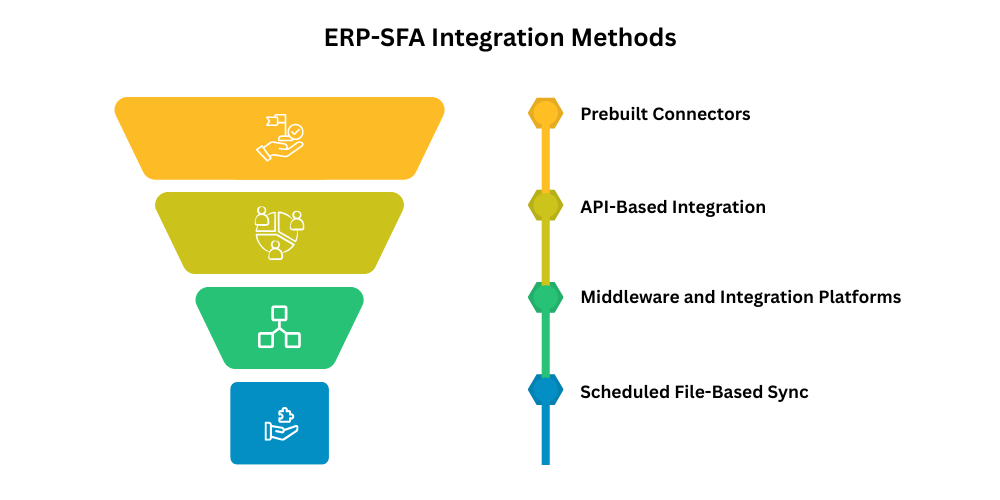
The integration method depends on your ERP platform, SFA capabilities, transaction volume, and available technical resources. A smaller distributor may need a simple connection, while a national FMCG company may require more advanced integration. Here are four commonly used methods.
1. Prebuilt Connectors
Prebuilt connectors are ready-made integration components built to link specific software platforms. Instead of building the connection from scratch, a business uses an existing connector supported by the ERP or SFA provider. These typically handle common data exchanges, customer records, product catalogs, pricing information, and sales orders.
Prebuilt connectors fit when your business runs a widely supported ERP and follows standard sales and distribution workflows. Still, confirm exactly which transactions the connector covers. Customer and product synchronization working doesn't automatically mean it handles payment collections or sales returns too.
2. API-Based Integration
An Application Programming Interface (API) allows two software systems to exchange information through defined requests and responses. API-based integration is useful when businesses need greater control over how their SFA application communicates with the ERP system. For example, when a representative submits a retailer order, the SFA application sends the order details to an ERP API. The ERP validates the information and returns a response indicating whether the transaction was accepted. Common API approaches include:
-
REST APIs: Exchange structured data through HTTP requests.
-
SOAP APIs: Support web-service communication, often in established enterprise systems.
-
Webhooks: Notify another system when a particular event occurs, where supported.
For businesses with multiple distributors, different pricing arrangements, or customized order approval processes, API-based integration can provide the required flexibility. However, validation, error handling, and duplicate prevention must also be included.
3. Middleware and Integration Platforms
Middleware sits between the SFA app and the ERP as an intermediary. Rather than wiring each application directly to the others, a business uses an integration platform to handle communication, transform data, and coordinate workflows. An FMCG manufacturer, for example, might need its SFA app connected to an ERP, warehouse management software, and a business intelligence platform. Middleware can run all of those connections through one central integration layer. Common capabilities include:
-
Data transformation and field mapping.
-
Synchronization scheduling.
-
Transaction validation.
-
Failed transaction management.
-
Integration monitoring.
-
Connections between multiple applications.
Middleware is particularly useful for larger organizations managing multiple software applications across departments.
4. Scheduled File or Database Sync
Some ERP systems, especially older or heavily customized installations, don't offer convenient API access. Scheduled file-based integration is the fallback. One system exports its data in a structured format like CSV, XML, or JSON, and the other imports the file on an agreed schedule. A distributor, for instance, might export updated product prices and inventory figures from its ERP every few hours. The SFA app imports that file, and reps see the latest information. It works in reverse too, with sales orders and payment collections going back to the ERP the same way.
Direct database synchronization calls for more caution. Writing straight into ERP database tables can bypass the application's own validation and business rules, so the ERP ends up holding records it would have rejected. Use vendor-supported import mechanisms or documented database interfaces instead.
Matching the Method to Your ERP and Your Team's Technical Capacity
The right integration method depends on your ERP system, business requirements, and your team's technical capacity to implement and maintain the connection. A prebuilt connector is suitable for standard ERP-SFA combinations, where compatibility between the two systems is the main consideration. API-based integration works better for businesses that require customized workflows, specific data exchanges, or greater control over integration, although it requires development resources. Middleware is useful when multiple applications need to communicate with each other, but it may involve additional configuration and costs. For legacy ERP systems or basic integration requirements, scheduled file synchronization can be a practical option, although data freshness may be a limitation.
For example, a small distribution company may find a prebuilt connector sufficient for synchronizing product information and sales orders. However, a larger FMCG organization managing multiple warehouses, distributor networks, and customized pricing rules may require API-based integration or middleware to handle more complex data flows efficiently.
How to Run the Integration Project
Once you have selected an integration method, focus on implementation. A structured approach helps maintain data accuracy and minimize disruption to sales operations.
1. Clean Master Data Before the First Sync
Poor data quality can cause duplicate records, incorrect orders, and sync errors. Before integration begins, review the following:
-
Duplicate customer and distributor records.
-
Missing or inconsistent customer and product IDs.
-
Incorrect product codes, units, and pack sizes.
-
Outdated customer details and territory assignments.
-
Inaccurate pricing and tax information.
For example, the ERP may identify a retailer as CUST-1045, while the SFA application uses OUT-208. Without proper mapping, the same retailer could appear as two separate records. Establish consistent identifiers, remove duplicates, and assign responsibility for maintaining master data.
2. Map Fields Between the Two Systems
Data mapping defines how information in the ERP system corresponds to fields in the SFA system. Since field names and data formats may differ between the two platforms, each field must be mapped correctly to ensure accurate data transfer. For example, the ERP field Customer_Code may correspond to Outlet_ID in the SFA system for customer identification, while Material_Code maps to SKU_Code for product identification. Similarly, Material_Description can map to Product_Name, Net_Price to Selling_Price, and Sales_Order_No to ERP_Order_ID. For order quantities, Order_Quantity in the ERP system should correspond to Ordered_Qty in the SFA system. These mappings help maintain consistency in customer records, product information, pricing, order references, and quantities across both systems.
Mapping should also account for differences in date formats, units of measurement, taxes, discounts, currencies, and decimal precision. Involve the sales, finance, and inventory teams when reviewing the field mappings to ensure that all transferred information reflects actual business requirements and maintains data accuracy across both systems.
3. Set the Synchronization Frequency
Different data categories require different synchronization schedules. Product descriptions and customer details can be updated periodically, while pricing, orders, and payment collections may need more frequent synchronization. For example, product and customer information can sync on updates or on a schedule. Approved pricing should be updated before representatives submit orders, while orders and payment collections should sync upon submission. Inventory information may require periodic or near-real-time updates, depending on system capabilities. Visit records can be synchronized at scheduled intervals. The appropriate frequency depends on transaction volume, ERP capabilities, and business requirements. Prioritize time-sensitive information without creating unnecessary system traffic.

4. Plan for Offline Activity and Failed Syncs
Reps often work where internet connectivity is unreliable. An SFA app with offline functionality lets them record visits and orders anyway and sync the pending information once a connection returns. The integration has to plan for what can go wrong on the way, though: rejected transactions, duplicate submissions, and syncs that only partly finish. Giving each transaction a unique reference, along with sensible duplicate-prevention controls, keeps the same order or collection from being processed twice.
5. Pilot Before the Full Rollout
Don't roll the integration out to the whole organization at once. Start with a small group of users or a single region, and test the processes that matter most:
-
Customer and product data synchronization
-
Order and payment submission
-
Pricing and inventory updates
-
Offline transactions
-
Failed transactions and duplicate prevention
-
Error reporting and correction
Bring in actual field reps, plus the IT and operations teams, since they'll catch practical problems a test script won't. During the pilot, watch synchronization success rates, transaction errors, processing times, and user feedback. Once the integration meets the requirements you agreed on, document the results and prepare the wider rollout.
What Does the Setup Look Like with Delta Sales App?
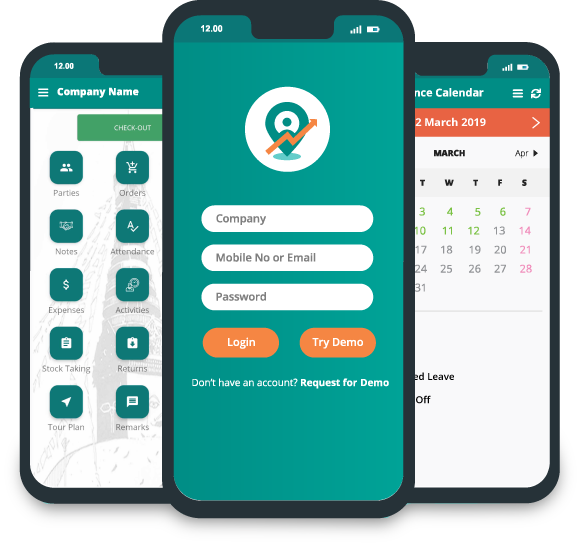
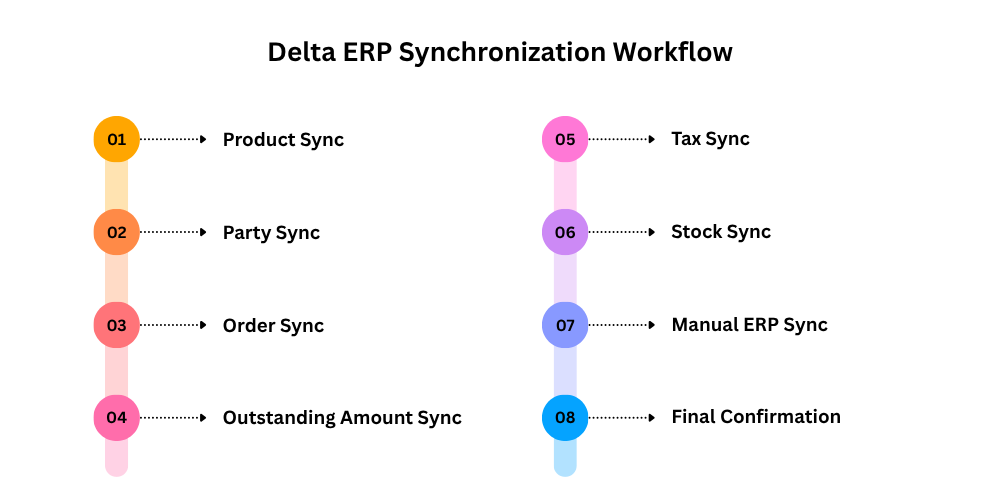
Connecting Delta Sales App to an ERP means syncing the relevant business information between the ERP and the field sales app. It’s not one big data transfer. The work can be broken into separate sync activities for products, parties, orders, taxes, outstanding amounts, and stock. Together they make sure reps are working with current business information in the field, while the sales transactions they create can flow back into the organization’s central ERP. Exactly how the workflow runs depends on the ERP platform, which technical interfaces it exposes, and the requirements both technical teams agree on.
What Your IT Team and ERP Vendor Need to Provide
Before starting the integration, your IT team and ERP vendor should provide the technical information and access required to establish communication between the two systems.
This generally includes:
-
ERP details: Platform name, edition, version, and deployment type.
-
API documentation: Available endpoints, authentication methods, and technical restrictions.
-
Product information: Product codes, descriptions, units, pricing, and applicable tax details.
-
Party information: Customer, retailer, and distributor records with their unique identifiers.
-
Order requirements: Required order fields, transaction references, and processing rules.
-
Outstanding amounts: Relevant customer balances and the required synchronization format.
-
Stock information: Product availability and applicable warehouse or distributor stock records.
-
Testing access: A sandbox or staging environment for validating data exchange.
-
Security requirements: Authentication credentials, permissions, and access restrictions.
The teams should also agree on which system manages each data category and how frequently the information needs to be synchronized. For example, product and party information may need to move from the ERP to Delta Sales App, while field-generated orders may need to move in the opposite direction. The actual direction and synchronization rules should be confirmed during technical planning.
How a Pilot Is Handled Before the Full Rollout
Once the integration requirements are established, begin with a limited pilot involving one sales team, distributor, or geographical region. The pilot should validate the main synchronization activities before the integration is extended across the organization.
Key areas to verify include:
-
Product Sync: Check whether product codes, descriptions, units, and other required product information are correctly available in Delta Sales App.
-
Party Sync: Verify that customer, retailer, and distributor records match between the ERP and field sales application.
-
Order Sync: Test whether orders captured by field representatives are transferred correctly and whether their synchronization status can be verified.
-
Outstanding Amount Sync: Confirm that the relevant customer outstanding balances are synchronized accurately.
-
Tax Sync: Check whether applicable tax information is transferred and applied correctly during product and order processing.
-
Stock Sync: Verify that the required stock information is updated and available to the relevant users.
-
Manual ERP Sync: Test the manual synchronization process where required and confirm how pending or unsuccessful records are handled.
-
Final Confirmation: Review the synchronization results, resolve discrepancies, and confirm that the agreed integration requirements have been met.
During the pilot, compare records in both systems to identify missing information, duplicate transactions, incorrect values, or synchronization failures.
Conclusion
Integrating sales force automation software with an ERP system connects field sales activities with central business operations. It reduces repetitive data entry, improves coordination between sales and finance, and provides better visibility into orders, collections, inventory, and territory performance. However, successful integration depends on proper planning. Starting with a controlled pilot also helps identify operational issues before the integration reaches every sales territory.
For FMCG companies, manufacturers, wholesalers, and distributors, the objective is to create a connected workflow where representatives can capture accurate sales information while the ERP manages the corresponding business processes. If your organization is evaluating ways to improve field sales operations, Delta Sales App provides tools for sales activity tracking, retailer visit verification, beat planning, order management, payment collection tracking, and real-time sales reporting.
Get a personalized product demo to explore how Delta Sales App can support your field sales processes and discuss your integration requirements.