
Cloud-Based vs. On-Premise Sales Force Automation Software
Managing field sales teams in different areas needs a clear view of store visits, orders taken, stock with distributors, money collected, and how well sales are doing. If there isn't a system, managers usually rely on phone calls, spreadsheets, and late daily sales reports to know what is going on in the field.
Sales force automation software helps companies keep track of all these tasks. But how the software is set up affects the cost, how easy it is to use, and how much it costs to maintain. How well it can grow. The two main ways to set up the software are cloud-based SFA software and on-premises SFA software. Both can help with field sales work. They are different when it comes to managing the technology, accessing the data, what is needed to put it in place, and the costs over time.
For companies that sell moving consumer goods for distributors, for manufacturers, and for wholesalers, the best option depends on how big the team is, what IT support is available, how important data security is, and how the salespeople work when they are out in the field. This blog looks at both choices to help you pick the sales force automation software for your business.
What is the Difference Between Cloud-Based and On-Premise Sales Force Automation Software?
The main difference comes down to where the software runs and who manages the infrastructure. Cloud-based SFA software runs on infrastructure the provider or its hosting partner manages, and users just access it through supported mobile devices or a web browser.
On-premise SFA software runs on servers the business itself manages, or a designated IT provider does, and the organization carries more of the responsibility for infrastructure, maintenance, updates, and backups. Both models can still support order management, beat planning, attendance, tracking, customer management, and sales reporting; the difference is who's holding the operational burden, not what the software does.
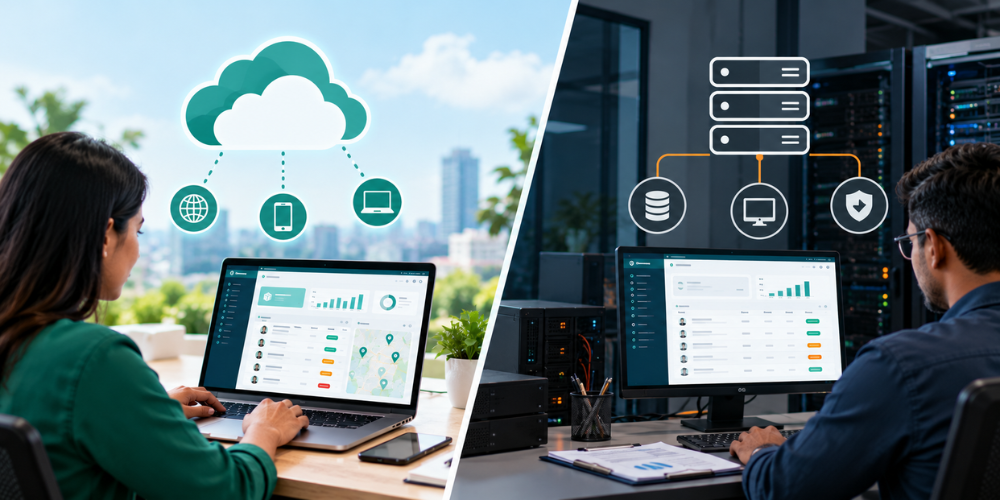
How cloud-based SFA software works
Cloud-based SFA software stores and processes data on cloud infrastructure. Reps use a mobile app to record retailer visits, book orders, update collections, and submit daily activity, and that data syncs up without anyone physically returning to an office first. Managers can access the synchronized information through dashboards whenever they need it.
An FMCG sales manager, say, can review reported outlet visits and order bookings across several territories from one central platform. Offline access depends entirely on the application, though. Solutions with real offline functionality let supported activities get recorded without a connection and sync once one's available.
How on-premise SFA software works
On-premise SFA software installs on company-managed servers or privately controlled infrastructure. The business handles server availability, user access, software updates, backups, and security maintenance itself. Employees access it through the company network or an approved remote-access setup.
This model suits businesses with specific infrastructure-control requirements and an established IT team already in place to support it. Remote access and server maintenance do need extra technical resources, though—resources a lot of companies would rather not staff.
How Do Cloud-Based and On-Premise SFA Software Compare?
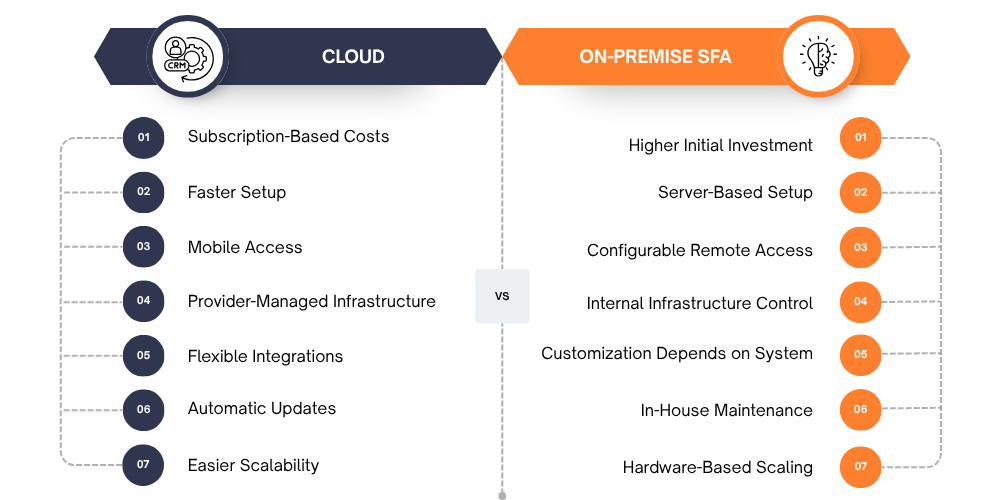
Both deployment models support sales automation, but their costs, implementation requirements, and management responsibilities differ.
-
Cost and total cost of ownership
Cloud-based SFA software typically runs on a subscription model, which cuts the need for upfront server investment. But additional users, integrations, onboarding, and premium features can still push the cost up over time. On-premise software usually involves licensing hardware, installation, IT staffing, backups, and ongoing maintenance, and upfront and continuing costs that cloud subscriptions mostly avoid.
What to compare: Estimate the total cost over three to five years, including implementation, support, maintenance, and future expansion.
-
Setup time and rollout effort
Cloud-based software usually needs less infrastructure preparation up front, so businesses can focus on configuring territories, importing customer data, and training reps rather than standing up servers first. On-premise deployments need server installation, network configuration, and additional technical testing before anyone can even start using them. Both models still need accurate retailer records, clear workflows, and employee training regardless; the infrastructure difference doesn't change what you need on the data and process side.
What to compare: Ask for an implementation timeline covering data migration, integrations, testing, training, and rollout.
-
Mobile access and offline use for field reps
Field reps need reliable access to customer information, beat plans, order forms, and visit records while traveling between outlets. Cloud-based SFA apps give centralized access, though some functions still need an internet connection to work. Offline-first apps store supported activities locally and sync once connectivity returns. On-premise applications can support offline work too; that depends on their mobile architecture, not on whether they're on-premise or cloud as a category.
What to compare: Test order booking, visit recording, customer access, and synchronization in areas with weak connectivity.
-
Data security and control
Cloud providers typically manage hosting infrastructure, while the customer stays responsible for setting appropriate user permissions and account security on their end. The safeguards that matter: encryption, authentication, monitoring, backups. On-premise deployments give more direct control over servers and internal network policies, but the business has to maintain the security patches, access restrictions, and recovery systems itself. Neither model is automatically more secure than the other; it comes down to who's actually doing the maintenance well.
What to compare: Review data hosting, security controls, backup policies, audit requirements, and contractual responsibilities.
-
Customization and integrations
Sales workflows vary across industries. FMCG businesses may prioritize secondary sales, distributor stock, beat adherence, and outlet coverage, while manufacturers may need ERP integration and customized approval workflows. Cloud platforms offer different levels of configuration and integration support. On-premise systems may allow extensive customization, depending on the software architecture and licensing terms.
What to compare: Confirm support for your required ERP, inventory, accounting, and distributor integrations before choosing a platform.
-
Updates, maintenance, and support
Cloud-based providers generally handle infrastructure maintenance and software updates themselves, which takes the load off internal IT. With on-premises software, the business or its service provider has to maintain the servers and coordinate updates directly. Existing customizations and integrations usually need extra testing each time something changes, work that falls on whoever's running the servers.
What to compare: Check update schedules, support response times, maintenance responsibilities, and service-level commitments.
-
Scaling as the sales team grows
Cloud-based SFA software usually makes it easier to add reps, supervisors, and territories without buying more servers. On-premise systems often need more storage, processing capacity, or network resources as usage grows. Scalability also depends on how well the software itself handles rising volume, more transactions, more outlet visits, more SKUs, and more reports; that's a software design question separate from where it's hosted.
What to compare: Review user limits, transaction capacity, expansion costs, and performance under higher workloads.

Why Do Field Sales Teams Prefer Cloud-Based SFA Software?
Cloud-based deployment is often a practical choice for businesses managing sales representatives across multiple territories. It reduces infrastructure responsibilities and centralizes field reporting.
-
Real-time visibility into field activity
Managers need to know whether reps are actually covering assigned outlets, booking orders, and meeting territory targets. Cloud-based SFA software consolidates synchronized visit records, order bookings, collection reports, and attendance into central dashboards, which lets managers catch coverage gaps and investigate declining sales without relying entirely on end-of-day spreadsheets or phone calls to find out.
-
Faster rollout across territories and locations
Businesses with multiple branches and distributors need consistent reporting across the whole sales network, not a different system at every location. Cloud-based software lets authorized users access a shared platform without needing a separate application server at every branch. That simplifies expansion into new territories. Though data preparation, configuration, and training are still essential either way, the cloud model doesn't skip those steps; it just removes the server part.
-
Lower upfront spend and predictable pricing
Cloud-based SFA software generally reduces upfront infrastructure costs and replaces much of the server investment with recurring subscription fees. This can help growing distributors and manufacturers budget for sales automation without building their own server environment. Businesses should still review user-based charges, implementation fees, integrations, and support costs before committing.
-
Easy onboarding for new and seasonal reps
Sales teams expand when a business enters new markets or hits a seasonal demand spike. Cloud-based systems generally let administrators create user accounts, assign territories, and configure access without installing new application servers for each expansion. Standardized workflows also help new reps learn how to record visits, book orders, and submit daily reports faster, since they're following the same process everyone else already uses.
How Does Delta Sales App Work as a Cloud-Based SFA?
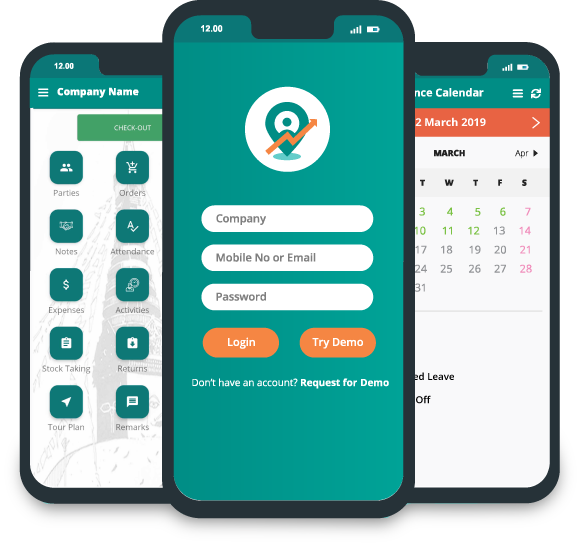
Delta Sales App helps businesses manage field sales activities and review sales performance through a centralized platform. Its field-force management capabilities support workflows involving employee tracking, outlet visits, beat planning, order management, and reporting.
-
Field tracking, visit tracking, and beat planning from one app
Managing field teams takes visibility into planned routes and what actually got done. Delta Sales App supports workflows that help businesses organize and monitor employee location tracking, retailer visit tracking, beat planning and territory coverage, attendance management, and sales activity reporting.
A distributor, for instance, can use structured beat plans to organize outlet coverage and review recorded visits against the assigned routes. Managers can then dig into whichever outlets got missed and figure out where attention is actually needed.
-
Order booking and reporting without a server to manage
Reps need a straightforward way to record orders and collections during retailer visits. Delta Sales App supports order management, collection reporting, and sales analytics, so businesses can organize field transactions and review submitted sales information from one place.
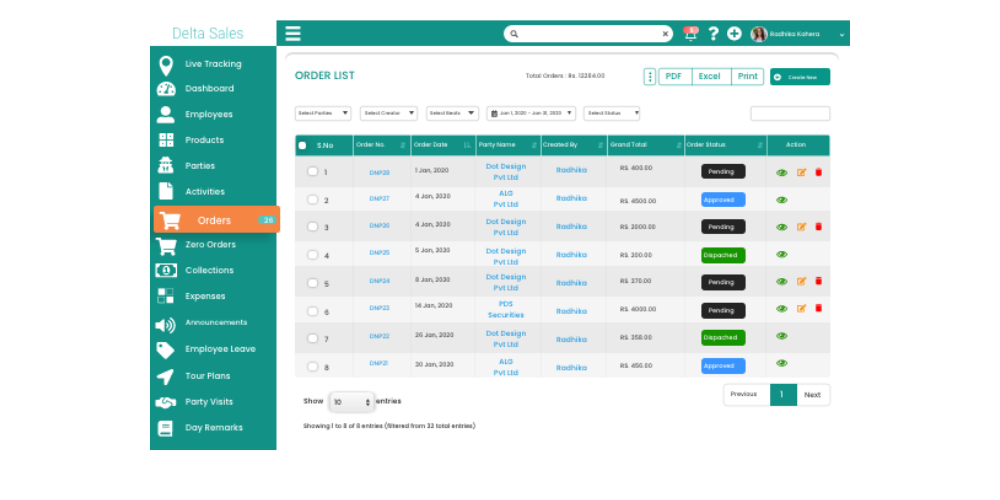
Instead of consolidating multiple spreadsheets by hand, managers can use centralized reporting to review the available order and activity records directly. As a hosted solution, it also removes the need for customers to manage their own application servers. Businesses should confirm any required ERP integrations and offline workflows before implementation, since those details vary by setup.
-
Getting a distributed sales team onto the app
Successful implementation starts with clear workflows and reliable data. Businesses adopting Delta Sales App should prepare their retailer, distributor, product, and employee records before configuring the application. A practical rollout includes:
-
Define workflows: Establish how representatives will record visits, orders, and collections.
-
Prepare data: Check outlet records, product details, and territory assignments.
-
Configure the app: Set up user permissions, beat plans, and reporting requirements.
-
Train representatives: Explain how to use the app during daily field activities.
-
Review adoption: Monitor data completeness, reporting consistency, and user feedback.
A structured rollout helps teams adopt the system consistently and reduces dependence on manual reporting.
How Should You Choose Between Cloud-Based and On-Premise SFA Software?
The right deployment model depends on your operational requirements, technical resources, and long-term plans. Cloud-based SFA software is often suitable for businesses that need centralized reporting, mobile access across territories, faster deployment, and less infrastructure maintenance. On-premise software may be preferable when a business has specific infrastructure-control requirements and sufficient IT resources to maintain its environment.
Before deciding, consider these questions:
-
Team distribution: Do representatives work across multiple territories and locations?
-
Infrastructure: Can your IT team manage servers, security, and backups?
-
Data requirements: Are there specific hosting, retention, or compliance obligations?
-
Integrations: Does the software support your existing ERP and inventory systems?
-
Total cost: What will implementation, maintenance, and expansion cost over time?
-
Offline access: Can representatives continue essential work without internet connectivity?
-
Future growth: Can the system handle additional users and higher transaction volumes?
Evaluate each vendor against your actual field sales workflows rather than choosing solely on price or deployment type.
Conclusion
Cloud-based and on-premise sales force automation software can both support structured sales operations, but they differ in infrastructure management, cost, accessibility, and maintenance. Cloud-based SFA is often a practical fit for FMCG companies, distributors, manufacturers, and wholesalers that need centralized field reporting without managing their own application servers. On-premise deployment can suit organizations that require greater direct infrastructure control and have the technical resources to maintain it.
The priority is to choose a system that supports your daily sales operations, from beat planning and retailer visits to order booking, collection reporting, and performance monitoring. Delta Sales App helps businesses organize field activities and improve visibility into sales execution through a centralized platform.
Want better visibility into your field sales operations?
Book a free demo of Delta Sales App to explore its field sales management capabilities.