Best HubSpot Alternatives for Field Teams
HubSpot is a popular CRM for managing leads, tracking sales pipelines, automating follow-ups, and maintaining customer relationships. For teams working primarily from an office, it offers a convenient way to keep sales activities organized and monitor deal progress.
However, managing a field sales team involves more than tracking leads and moving opportunities through a pipeline. Sales representatives spend their days visiting distributors, retailers, dealers, and customers. Managers need to know which outlets have been covered, whether planned visits were completed, how many orders were generated, and how much revenue each territory contributed.
This creates a different set of requirements for field sales operations. A CRM that works well for inside sales may not provide everything an organization needs to manage representatives on the road. Features such as GPS tracking, offline order booking, beat planning, visit verification, and daily sales reporting become essential when sales activities happen outside the office. That is why many businesses explore alternatives to HubSpot that offer stronger mobile capabilities and better support for field operations.
In this blog, we compare eight HubSpot alternatives for field teams, including their key capabilities, limitations, and ideal use cases. Whether you manage an FMCG distribution network, a manufacturing sales team, or a B2B outside sales operation, this comparison will help you identify the right platform.
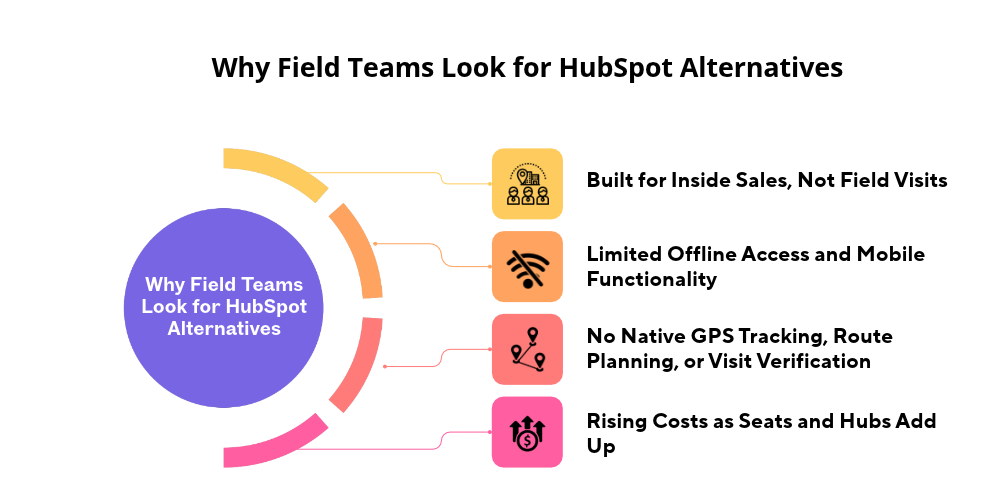
Why Field Teams Look For HubSpot Alternatives
HubSpot provides contact management, deal tracking, email automation, reporting, and mobile CRM capabilities. These features are useful for managing customer relationships and monitoring sales pipelines. The challenge arises when businesses try to use a conventional CRM as a complete field sales management system.
-
HubSpot Is Built for Inside Sales, Not Field Visits
HubSpot focuses mostly on customer relationship management. Managing the sales pipeline. Sales representatives can handle contacts, update deals, set up meetings, and record interactions with customers. Field sales is different. A regular CRM can store customer information and track opportunities. Managing a field operation needs more specific tools. One thing to note: the last sentence isn't clear about what "these activities" means. If you want it to be more precise, list the missing parts, like beat planning, visit verification, and offline order placement.
-
Limited Offline Access and Mobile Functionality
Field reps often work in places where the internet isn't reliable. This is especially true in remote markets and places with weak network coverage. A mobile CRM should allow reps to view customer details, note visits, update orders, and complete their daily tasks without needing a constant internet connection. HubSpot offers a CRM. Companies should make sure which tasks can still be done offline and if those match the way their field teams work.
-
No Native GPS Tracking, Route Planning, or Visit Verification
A representative updating a customer record does not show that they actually went to the outlet. Field sales managers need to see movement and proof of customer visits. Imagine a distributor assigns 25 retail outlets. The manager needs to know which outlets were actually visited, whether the visits followed the assigned route, how long the representative spent at each place, which planned visits were not made, and if the representative covered the area. Answering these questions requires GPS-based employee tracking, geo-tagged check-ins, route monitoring, and beat planning. HubSpot's regular CRM features do not take the place of a GPS-based field force management tool.
-
Rising Costs as Seats and Hubs Add Up
HubSpot offers tools and several paid tiers, but HubSpot costs rise when a business adds users, advanced sales features, automation, and other product hubs. For a growing organization, total cost of ownership is more important than the starting price. A business that has 40 field reps may also need tools for route planning, attendance, employee tracking, and order management if the business’s CRM does not cover those workflows. When you compare alternatives, add up the investment: software subscriptions, integrations, onboarding, and any extra apps.
What to Look for in a HubSpot Alternative for Field Teams
Not every CRM is designed for outside sales. Before switching platforms, businesses should identify the operational requirements that their current system cannot support. The following capabilities are particularly important for organizations managing field representatives.
1. Mobile-First CRM with Offline Mode
A mobile-first CRM should make essential sales activities accessible directly from a representative's smartphone. Look for functionality that allows representatives to:
-
Access customer and distributor information.
-
Review previous orders and outstanding payments.
-
Update customer records.
-
Record visit remarks.
-
Capture new orders.
-
View assigned activities and sales targets.
Offline access is equally important. Representatives should be able to complete supported activities without internet connectivity, with information syncing automatically when the connection returns. This prevents missing records and delayed order reporting.
2. Real-Time GPS Tracking and Geo-Tagged Check-Ins
GPS tracking gives managers a view of what happens in the field, something a normal CRM activity log cannot provide. A good platform must give location tracking timestamps for visits and geo‑tagged check‑ins. For example, if a rep has 20 outlets to visit in a territory, managers must be able to compare the planned visits with the visits that actually took place in the field. Geo‑tagged check‑ins give the business reliable records of visits. GPS tracking should still be set up openly with notice to employees and sensible access controls.
3. Route Optimization and Beat Planning
Beat planning determines which customers a representative should visit, in what sequence, and on which day. A good platform should help managers:
-
Create daily and weekly beat plans.
-
Assign outlets to representatives.
-
Organize routes by territory.
-
Reduce unnecessary travel.
-
Monitor planned versus completed visits.
-
Adjust routes when business requirements change.
For FMCG distributors, structured beat planning helps maintain consistent outlet coverage and reduces the chances of important retailers being overlooked.

4. Order Capture, Visit Reports, and Field Data Collection
For distribution-led businesses, customer visits often lead directly to order booking. A field sales platform should support order capture, product selection, quantity updates, customer-specific pricing, and payment collection records where required. It should also allow representatives to record information such as
-
Products and SKUs requested.
-
Stock availability at retail outlets.
-
Competitor activities.
-
Customer feedback.
-
Reasons for zero orders.
-
Outstanding payment information.
These records help managers understand what is happening across the distribution network instead of relying solely on end-of-day sales figures.
5. Attendance, Expense, and Target Management
Field sales managers have to keep track of employee attendance and see if the sales representatives are meeting their goals. Important features are mobile attendance tracking, records of check-ins and check-outs, managing time off, submitting expenses, and reports that compare targets with results. A regional sales manager, for example, needs to be able to set each salesperson's target and then look at the actual sales numbers. They also want to see what field activities led to those results. Having all these tools in one place reduces the amount of work and makes performance reviews more steady and fair.
6. Integrations, Reporting, and Scalability
A CRM should fit into the technology the organization already uses. A CRM needs to work with accounting systems, ERP software, inventory applications, and other business tools. Reporting matters as much. Managers need to be able to review sales by rep, by territory, by distributor, by outlet, and by product category. As the organization grows, the software must be able to handle more reps, more territories, more distributors, and more business units without forcing a complete operational redesign.
7. Pricing Transparency and Ease of Onboarding
Consider the overall investment required to implement and maintain the software. Evaluate:
-
Feature availability across subscription plans.
-
Implementation and onboarding requirements.
-
Integration costs.
-
Additional charges for advanced reporting or automation.
-
Scalability as the sales team grows.
Also consider the learning curve for field representatives. A feature-rich platform is not useful if employees find it difficult to use during customer visits. A straightforward mobile interface and practical onboarding process can make a significant difference in adoption.
Top HubSpot Alternatives for Field Teams Compared
The best HubSpot alternative depends on how your sales team operates. Some platforms focus on customer relationships and deal pipelines, while others specialize in territory management, route planning, or complete field-force automation. Here are eight platforms worth considering.
Quick Comparison Table: Features and Best For
|
Software |
Best For |
Key Field Capabilities |
|---|---|---|
|
Delta Sales App |
FMCG and distribution-led sales |
GPS tracking, beat planning, order booking, offline access, attendance |
|
Salesforce |
Enterprise sales teams |
Mobile CRM, customization, integrations, territory management |
|
Zoho CRM |
Small and growing businesses |
Mobile CRM, check-ins, workflow automation |
|
Pipedrive |
Simple pipeline management |
Mobile CRM, deal tracking, activity management |
|
Freshsales |
Hybrid inside-outside sales teams |
Calling, email, contact management, sales automation |
|
Salesforce Field Service |
Service and dispatch operations |
Work orders, scheduling, dispatch, mobile workforce management |
|
Badger Maps |
Route-focused outside sales |
Sales mapping, route optimization, mileage tracking |
|
Bitrix24 / Close |
Collaboration and hybrid sales teams |
CRM, communication, sales activity management |
1. Delta Sales App: Best for Field Force Automation with Built-In CRM Capabilities
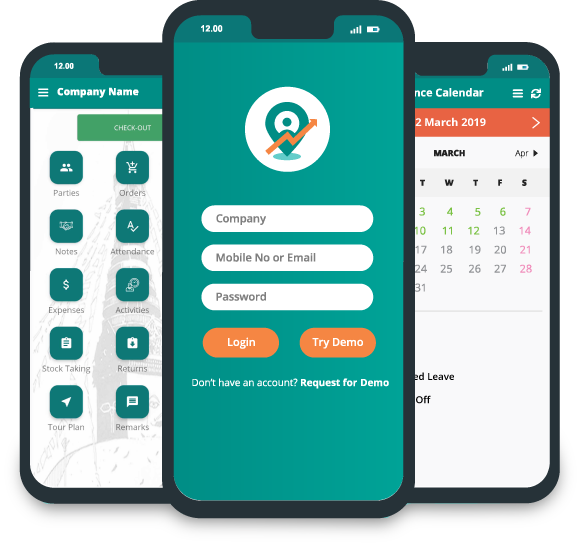
Delta Sales App is built for businesses that manage sales reps, distributors, retailers, and other customer-facing field employees. A conventional CRM mostly organizes leads and sales opportunities. Delta centers on what happens during actual field visits, and it brings customer and party management together with field-force tracking, sales order management, attendance, beat planning, and reporting.
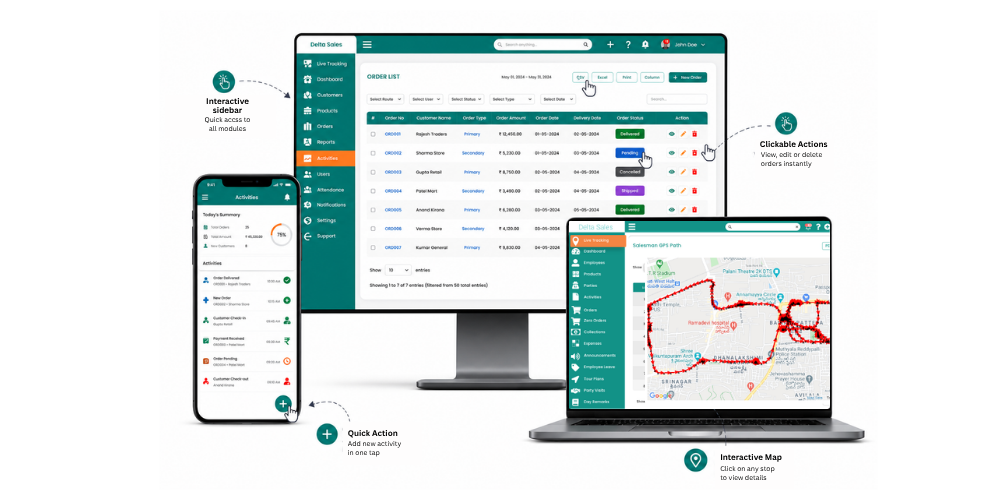
That makes it a particularly good fit for FMCG companies, manufacturers, wholesalers, and distribution-led businesses.
Key field features:
-
GPS-based employee tracking: Monitor field representatives' locations, travel paths, and daily movements.
-
Customer visit tracking: Record customer visits and review the time spent at each outlet.
-
Beat planning: Assign daily routes and customer visits based on territory requirements.
-
Order management: Allow representatives to capture orders directly from distributors and retailers.
-
Payment collection: Record collections and monitor outstanding payments.
-
Attendance and leave management: Manage field attendance and leave applications through the mobile application.
-
Offline functionality: Allow representatives to continue supported sales activities without internet connectivity, with automatic synchronization when connectivity returns.
-
Sales analytics: Review daily sales reports, representative performance, customer-wise sales, and other operational metrics.
Ideal for: Small, medium, and large FMCG companies, manufacturers, wholesalers, and distributors managing outside sales representatives.
2. Salesforce: Best for Enterprise-Scale Field Operations
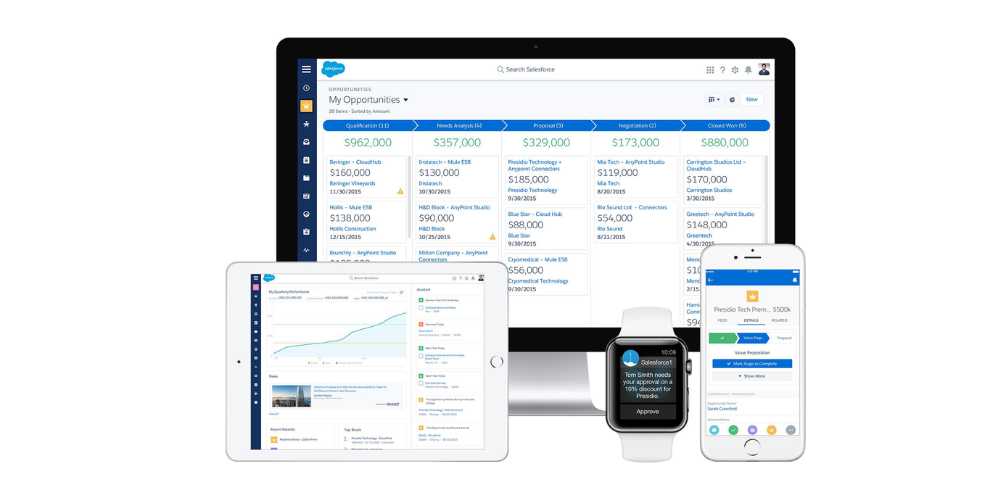
Salesforce is an enterprise CRM platform with lead management, account management, opportunity tracking, sales forecasting, and workflow automation. Field teams get mobile CRM access, and add-on products like Salesforce Maps cover territory planning and location-based sales activity.
Key field features:
-
Mobile access to customer and opportunity records.
-
Territory and account management.
-
Customizable sales workflows.
-
Sales forecasting and reporting.
-
Enterprise integrations.
Limitations: Salesforce can require considerable configuration and implementation expertise. Advanced mapping and field service capabilities may also require additional products. It may be more complex than necessary for distributors that primarily need order capture and daily outlet coverage.
Ideal for: Medium and large enterprises, multinational manufacturers, and organizations with complex sales structures.
3. Zoho CRM: Best Budget-Friendly Option for Small Teams
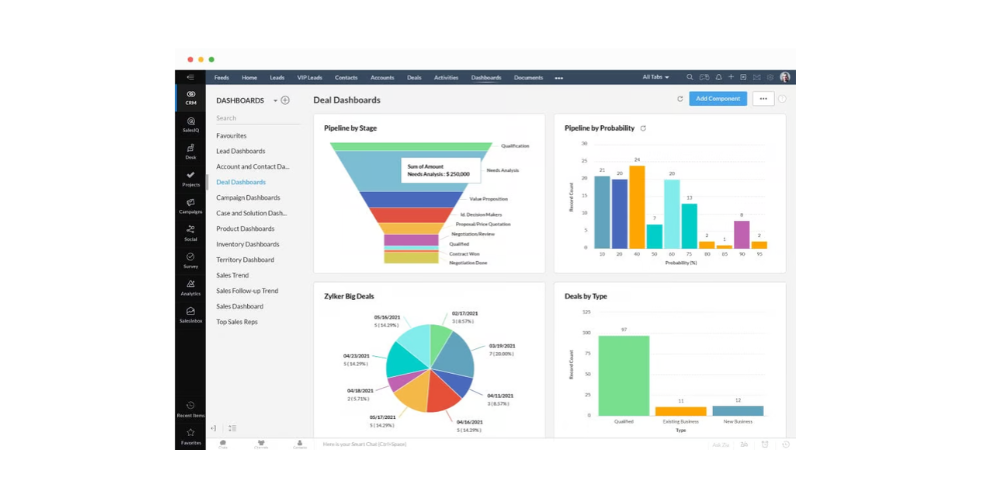
Zoho CRM is a general-purpose CRM for small and growing businesses. It covers lead management, contact management, deal tracking, workflow automation, and sales forecasting. The mobile app lets reps open customer information and sales activity while they're away from the office.
Key field features:
-
Mobile access to customer records.
-
Location-based check-ins.
-
Sales activity tracking.
-
Workflow automation.
-
Customizable reports and dashboards.
-
Integration with other Zoho applications.
Limitations: Zoho CRM is not a dedicated FMCG field-force automation platform. Businesses needing comprehensive secondary sales management, distributor order booking, and specialized beat execution may require additional customization or integrations.
Ideal for: Startups, small distributors, service businesses, and growing B2B sales teams.
4. Pipedrive: Best for Simple Pipeline Management
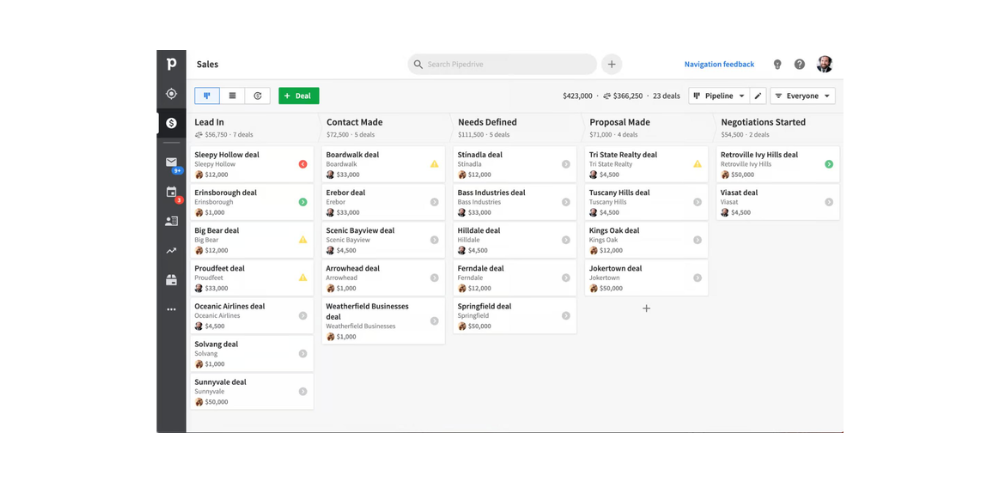
Pipedrive centers on visual sales pipeline management. Reps can organize deals, schedule follow-ups, manage activities, and move opportunities through each sales stage. Its simple interface suits teams that care most about tracking opportunities and managing customer relationships.
Key field features:
-
Mobile CRM access.
-
Deal and pipeline tracking.
-
Activity scheduling and reminders.
-
Sales reporting and forecasting.
-
Offline functionality in its mobile applications.
Limitations: Pipedrive primarily focuses on sales pipelines rather than field execution. Businesses managing large retail networks may need separate tools for GPS tracking, visit verification, beat planning, and distributor order management.
Ideal for: Small and medium-sized B2B sales teams and businesses focused on managing customer relationships and sales opportunities.
5. Freshsales: Best for Teams Needing Built-In Calling and Email
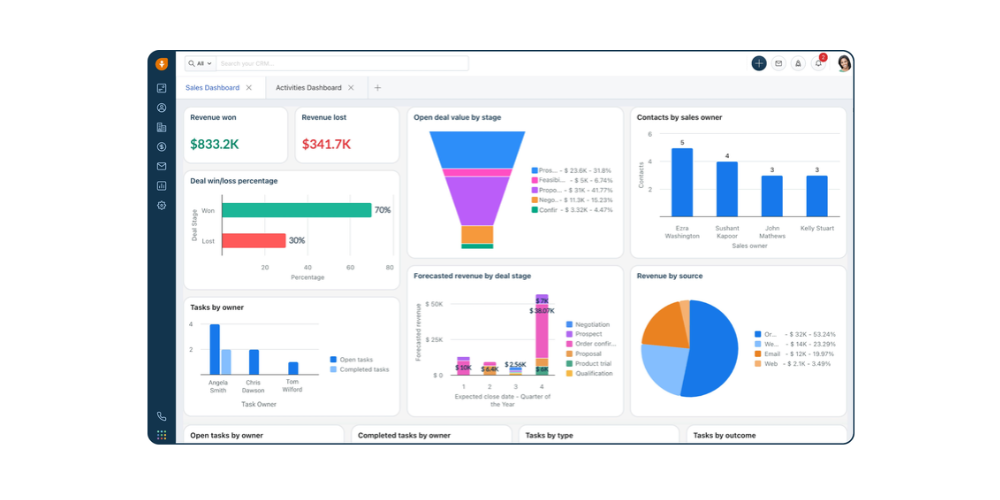
Freshsales, from Freshworks, brings together contact management, sales pipeline tracking, communication tools, and sales automation. It works especially well for teams that talk to customers by phone and email.
Key field features:
-
Contact and account management.
-
Mobile CRM access.
-
Built-in calling and email capabilities.
-
Sales activity tracking.
-
Territory management on supported plans.
-
Reporting and forecasting.
Limitations: Freshsales is not a complete field-force automation platform. Companies requiring daily beat execution, GPS-based visit verification, offline order capture, and secondary sales reporting may need additional applications.
Ideal for: Startups, small and medium-sized businesses, and hybrid sales teams combining phone-based selling with customer visits.
6. Badger Maps: Best for Route-Focused Outside Sales
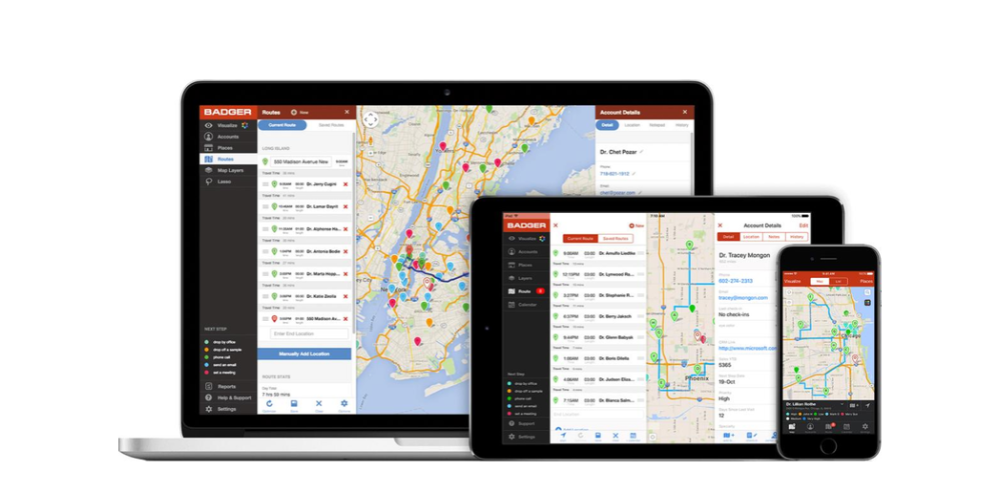
Badger Maps is designed for outside sales representatives who spend significant time traveling between customer locations. Its main focus is helping salespeople visualize customer locations, plan routes, and organize daily visits.
Key field features:
-
Sales mapping and customer location visualization.
-
Multi-stop route optimization.
-
Territory management.
-
Mileage tracking.
-
Customer visit notes.
-
CRM integrations.
For example, an industrial supplier with representatives covering several cities can use Badger Maps to organize customer visits and reduce unnecessary travel.
Limitations: Badger Maps focuses heavily on mapping and route execution. It is not a complete distributor management or FMCG sales automation platform. Businesses requiring inventory visibility, secondary order management, payment collection, and distribution reporting may need another system alongside it.
Ideal for: Outside sales teams, industrial suppliers, B2B distributors, and businesses with large customer territories.
7. Bitrix24: CRM and Team Collaboration in One Platform
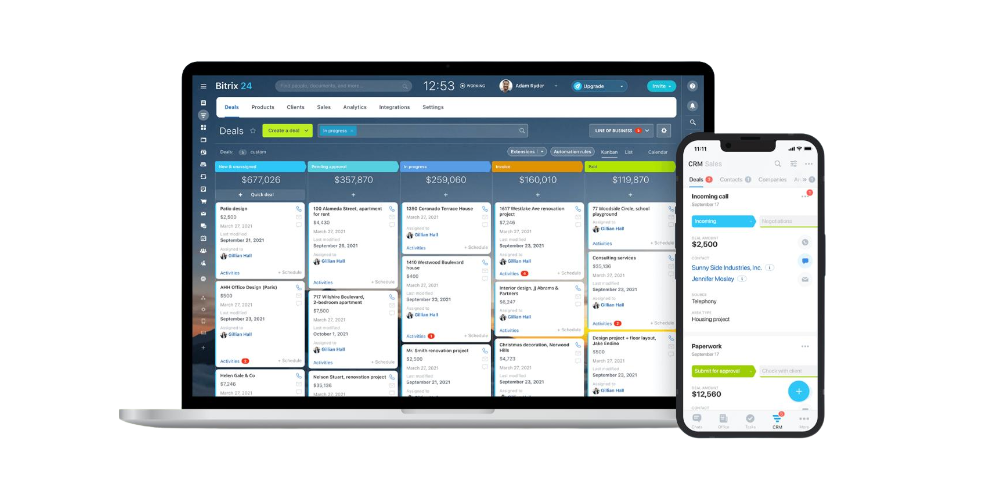
Bitrix24 combines CRM, task management, project management, team communication, and collaboration tools in one platform. It helps businesses manage customer relationships while coordinating internal sales activities.
Key capabilities include:
-
Lead and contact management.
-
Sales pipeline tracking.
-
Task and project management.
-
Team communication.
-
CRM automation.
-
Sales reporting and collaboration.
Bitrix24 can help businesses let sales employees manage customer interactions, track deals, coordinate tasks, and communicate with colleagues through a single platform.
Limitations: Bitrix24 offers general CRM and collaboration features, but businesses with field-heavy sales operations should evaluate its capabilities for GPS employee tracking, beat planning, outlet visit verification, offline order capture, and field sales reporting before adopting it.
Ideal for: Small and medium-sized businesses looking for an all-in-one CRM and team collaboration platform to coordinate sales activities and internal workflows.
Conclusion:
HubSpot remains a CRM for managing leads, customer relationships, and sales pipelines. Yet businesses with field-based sales teams may need specialized features for daily operations that go beyond ordinary CRM tasks. The right alternative depends on how your team works. Salesforce suits organizations with CRM needs. Zoho CRM works well for teams. Pipedrive and Freshsales support sales processes that focus on pipelines. Bitrix24 is worth considering for businesses that want a platform for CRM and team collaboration. For teams that focus on route planning, outlet visits, order capture, attendance, and field employee tracking, a dedicated field sales solution may be a fit.
Delta Sales App brings these field sales activities together in one platform. From GPS-based employee tracking and beat planning to outlet visit verification, order management, attendance, and sales reporting, it helps managers gain better visibility into field operations while keeping representatives' daily work organized.
If your sales team spends more time visiting outlets and managing distributors than working from a desk, choosing software built around field operations can make a meaningful difference. Ready to simplify your field sales operations? Get a personalized demo of the Delta Sales App and see how it can support your team's daily activities.
Frequently Asked Questions
1. Is HubSpot Good for Field Sales Teams?
HubSpot works well for lead management, customer relationships, and sales pipelines. However, teams needing GPS tracking, beat planning, visit verification, and offline order booking may need dedicated field sales software.
2. What Is the Best HubSpot Alternative for Field Sales Reps?
The best option depends on your team's needs:
-
Delta Sales App: Best for FMCG companies, distributors, and manufacturers managing field sales.
-
Salesforce: Best for enterprise CRM requirements.
-
Zoho CRM: Best for small businesses.
-
Pipedrive: Best for sales pipeline management.
-
Badger Maps: Best for route planning and outside sales.
3. Which CRM Has the Best Offline Mobile App for Field Teams?
Offline capabilities vary by platform. Some CRMs allow users to access records or update activities offline, while others have limitations. Delta Sales App supports offline field activities, with data syncing automatically when internet connectivity returns.
4. Can I Migrate My Data from HubSpot to Another CRM?
Yes. HubSpot data can generally be transferred through exports, imports, APIs, or migration services. Before switching, check that contacts, company records, deals, custom fields, and activity history can be transferred correctly. A small test migration can help identify issues before the full transfer.