
Best Field Sales Software for Success

Choosing the best field sales software is not simply about finding the platform with the longest feature list. The right choice depends on how your sales team works, the type of customers you serve, the size of your field operation, your existing software stack, and how much control you need over the sales process.
A small outside-sales team may need a simple platform for managing accounts and territories, while a larger distributor or FMCG organization may need a system that supports a broader sales operation.
This guide compares popular field sales software options and explains where each type of platform fits best. Instead of treating one product as the universal winner, the goal is to help you identify the software that matches your team's actual requirements.
What Makes a Field Sales Software the Right Choice?
There is no single field sales platform that is best for every business. A useful comparison should look beyond the number of features and consider whether the software fits your sales model.
Here are the factors worth considering before making a shortlist:
Fit With Your Sales Model
Start with how your sales representatives actually sell.
Consider whether your team:
-
Manages a fixed customer base
-
Works across assigned territories
-
Visits retailers, dealers, distributors, or business customers
-
Handles new prospecting as well as existing accounts
-
Works with a large product catalog
-
Requires coordination between sales and distribution teams
A platform that works well for a B2B account-based sales team may not be the best choice for a large FMCG field operation.
Team and Territory Size
The number of users and territories can significantly affect which platform makes sense.
Consider:
-
Number of field representatives
-
Number of customers or accounts
-
Number of territories
-
Number of managers
-
Geographic spread
-
Expected team growth
The software should remain practical as your team expands without making administration unnecessarily complicated.
Existing Software Environment
Your field sales software should fit into the systems your company already uses.
Before choosing a platform, identify the systems that need to exchange information with it, such as:
-
CRM
-
ERP
-
Accounting software
-
Inventory systems
-
Customer databases
-
Business reporting tools
Integration requirements can eliminate otherwise attractive options from your shortlist.
Ease of Adoption
The people using the software every day should be able to understand it quickly.
A platform may look powerful during a product demonstration but become difficult to use once it reaches the field team.
Look at the actual day-to-day experience for both representatives and managers rather than evaluating the management interface alone.
Flexibility and Scalability
Your requirements today may not be the same six months or two years from now.
Consider whether the platform can accommodate:
-
Additional users
-
New territories
-
Different sales processes
-
Additional business units
-
New integrations
-
Changing reporting requirements
The best field sales software should solve today's requirements without creating unnecessary limitations as the business grows.
Total Cost of Ownership
Do not compare software based only on the advertised subscription price.
Consider the complete cost of ownership, including:
-
User licenses
-
Required add-ons
-
Integration costs
-
Implementation
-
Training
-
Data migration
-
Support
-
Additional modules
A lower subscription price does not automatically mean lower overall cost.
Why Field Sales Software is Important?
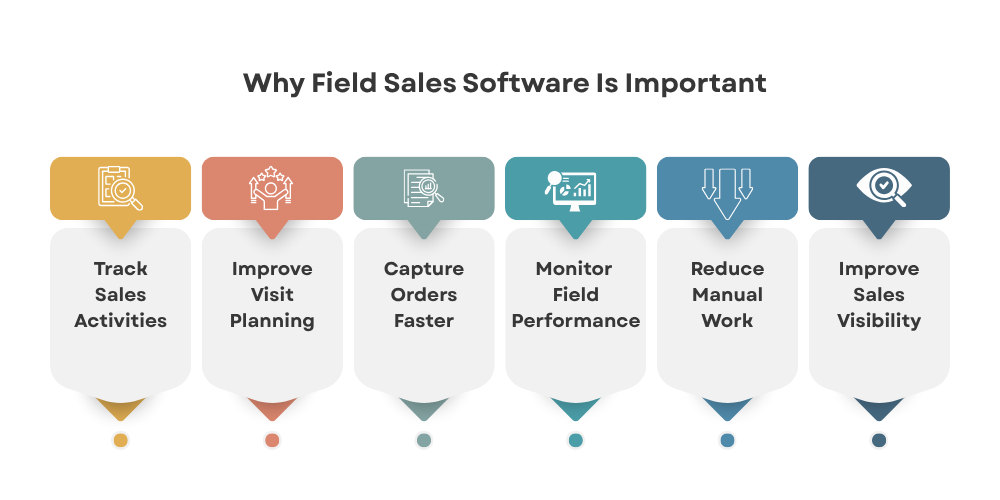
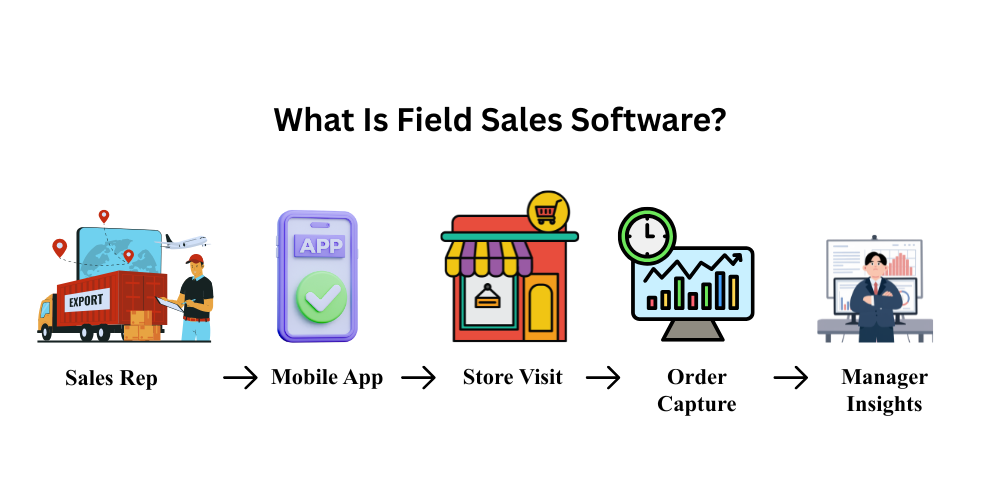
This software helps sales teams manage their day-to-day activities, track progress, and improve overall efficiency. With the right solution, sales representatives can access customer information, manage schedules, record visits, and capture sales data while working in the field.
-
Increased Sales Efficiency

One of the main benefits of this software is increased efficiency. With the ability to access customer information and track leads in real-time, sales reps can make the most of their time in the field. This means less time spent on administrative tasks and more time focused on closing deals.
-
Improved Communication and Collaboration
This software also allows for improved communication and collaboration between sales reps and their teams. With the ability to share information and updates in real-time, sales teams can work together seamlessly, leading to better results and increased sales.
-
Better Data Management
With this software, all customer information and data are stored in one centralized location. This makes it easier for sales reps to access and manage customer information, leading to more personalized interactions and improved customer relationships.
-
Better Field Visibility
Managers need to know whether planned customer visits are being completed and how representatives are performing in the field. Features such as customer visit tracking and location-based activity monitoring can provide better visibility into field operations.
This helps managers identify missed visits, understand territory coverage, and take corrective action when necessary.
Top Field Sales Software Options
Now that we understand the importance, let's explore the top options available on the market.
-
Delta Sales App
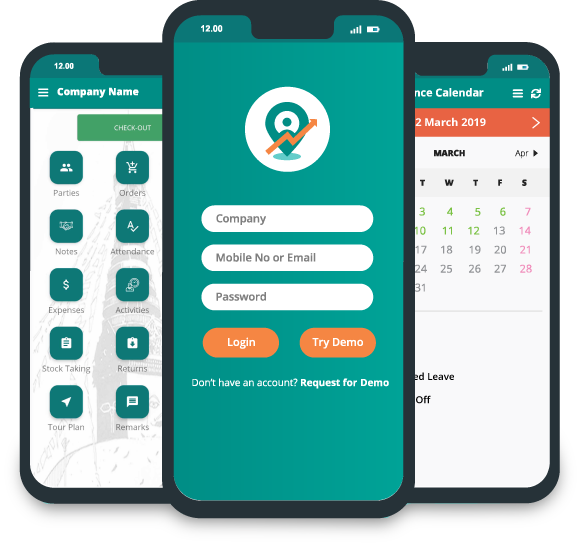
The Delta Sales App is a field sales automation and employee tracking solution designed for distributors, manufacturers, wholesalers, and businesses with field employees.
The platform helps businesses manage field activities, track employees, automate sales ordering, access real-time sales information, and centralize customer data.
Key capabilities include field-force tracking, customer visits, order management, sales reporting, beat planning, attendance, payment collection, inventory management, and distributor management.
For businesses that need both sales execution and field force management, Delta Sales App provides a centralized platform for managing field representatives and their daily activities.
-
Salesforce
Salesforce is a popular customer relationship management (CRM) software that offers a variety of features for field sales teams. With Salesforce, sales reps can easily manage customer information, track leads, and collaborate with their team. It also offers mobile capabilities, allowing sales reps to access information and manage tasks while on the go.
-
HubSpot
HubSpot is another popular CRM software that offers a variety of features for field sales teams. With HubSpot, sales reps can manage customer information, track leads, and access real-time analytics to track their progress. It also offers a user-friendly interface and mobile capabilities for on-the-go access.
-
Kompyte
Kompyte is a competitive intelligence software that offers features specifically designed for field sales teams. With Kompyte, sales reps can track competitor activity, receive real-time alerts, and access battle cards to help them overcome objections and close deals. It also integrates with popular CRM software, making it easy to incorporate into existing sales processes.
-
Badger Maps
Badger Maps is a software that offers features specifically designed for sales reps on the go. With Badger Maps, sales reps can easily plan their routes, access customer information, and track their progress in real-time. It also offers lead generation capabilities, making it a valuable tool for sales teams.
-
Map My Customers
Map My Customers is another field sales software that offers features specifically designed for sales reps on the go. With Map My Customers, sales reps can easily plan their routes, access customer information, and track their progress in real-time. It also offers lead generation capabilities, making it a valuable tool for sales teams.
Field Sales Software Comparison
Choosing the right field sales software depends on your business model, sales process, and the level of field activity your team manages. Each platform has a different primary focus, so the best option is not necessarily the one with the most features.
Delta Sales App is well suited for field-heavy businesses, distributors, FMCG companies, and wholesale operations that need a dedicated platform for managing field sales activities. Its primary focus is field sales execution, including sales team tracking, field visits, order management, and day-to-day sales operations.
Salesforce is a strong choice for enterprises that need a comprehensive CRM ecosystem. It offers extensive capabilities for managing customer relationships, sales processes, and business workflows, making it suitable for organizations with complex CRM requirements.
HubSpot is designed for organizations that take a CRM-led approach to sales. Along with sales management, it provides a broader sales and marketing ecosystem, making it useful for businesses that want to connect customer management with marketing and lead-generation activities.
Badger Maps is particularly suitable for outside sales teams where route planning, mapping, and territory management are major priorities. Its focus on maps and sales territories makes it useful for representatives who spend significant time traveling between customer locations.
Map My Customers is designed for account-based field sales teams that need visual territory and customer management. It helps teams organize accounts geographically and gain a clearer view of their sales territories.
SPOTIO is built specifically for dedicated field sales teams that require territory management and field activity execution. It is a suitable option for businesses looking for tools focused on managing and monitoring field sales activities.
Overall, the right platform depends on whether your priority is dedicated field sales execution, enterprise CRM, sales and marketing integration, route planning, territory management, or field activity tracking.
How to Choose the Best Field Sales Software?
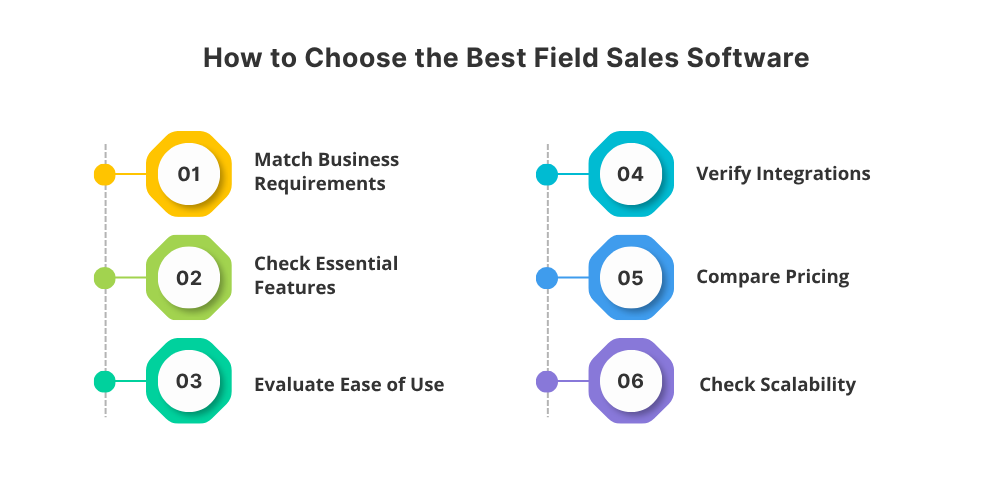
With so many options available, it can be overwhelming to choose the best field sales software for your team. Here are some factors to consider when making your decision:
-
Features
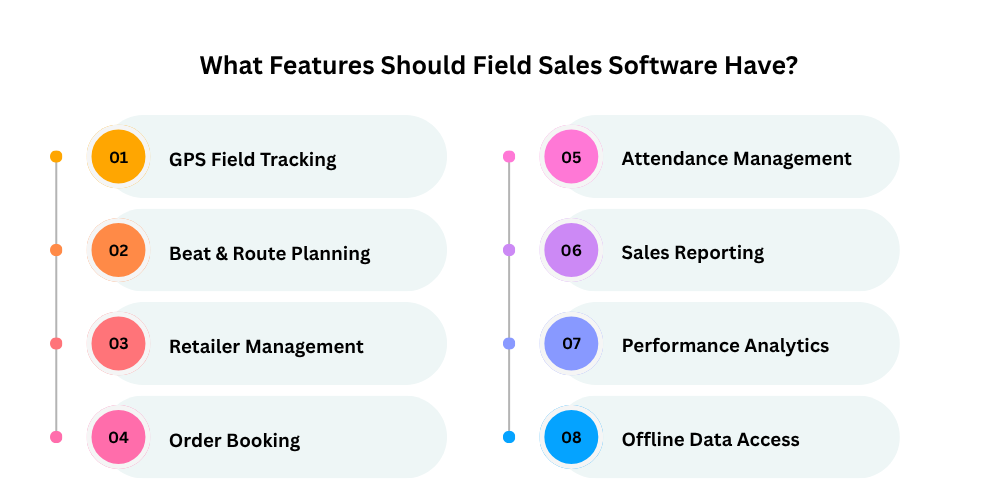
Start by identifying the features your sales team actually needs. Consider customer visits, order capture, route planning, reporting, attendance, GPS tracking, inventory, payments, and other sales activities.
Avoid choosing software based only on the number of features. Focus on whether those features solve your team's actual operational problems.
-
Integration
If you already use CRM, ERP, accounting, or other business systems, check whether the solution can integrate with them.
For example, a mobile CRM can help field representatives access customer information while working remotely, while integrations can help keep sales and business data synchronized.
-
User-Friendly Interface
A field sales solution should be simple enough for representatives to use during their daily activities. A complicated interface can reduce adoption and make routine tasks slower.
Look for an application that allows representatives to quickly access customer information, record visits, capture orders, and submit updates.
-
Mobile Capabilities
Since field sales reps are constantly on the go, it's important to choose software with mobile capabilities. This will allow sales reps to access information and manage tasks while out in the field.
-
Offline Functionality
If your representatives work in areas with inconsistent connectivity, offline functionality becomes especially important. The application should allow essential activities to continue offline and synchronize data once an internet connection is restored.
-
Scalability
Consider whether the platform can support your business as your sales team grows. The solution should be able to accommodate additional users, territories, customers, products, and business processes without creating unnecessary complexity.
-
Customer Support
In case of any issues or questions, it's important to choose software with reliable customer support. Look for software that offers 24/7 support and has a good reputation for resolving issues quickly.
What Should You Compare Before Buying?
A software comparison should go beyond a simple feature checklist.
Use these questions when comparing your final two or three options:
1. Does the software match your sales structure?
A platform should reflect how your sales organization is divided into teams, territories, customers, and management levels.
2. Can it support your current customer volume?
Check the practical limits around users, accounts, territories, data storage, and administration.
3. Does it fit your existing technology stack?
Identify which systems need to exchange data with the field sales platform before signing a contract.
4. Will representatives actually use it?
A product that looks excellent to management but is difficult for representatives to use can create adoption problems.
Test the workflows that sales representatives will perform most frequently.
5. Can managers get the information they actually need?
Do not evaluate reporting based on the number of dashboards available.
Instead, identify the specific information managers need to make decisions and confirm that the platform can provide it in a usable format.
6. What happens as the business grows?
Review user expansion, territory growth, additional business units, integrations, and customization requirements before choosing a platform.

7. What is included in the quoted price?
Ask vendors to clearly separate:
-
Base subscription
-
Additional users
-
Add-ons
-
Integrations
-
Implementation
-
Support
-
Custom development
This prevents an apparently inexpensive platform from becoming expensive after implementation.
A Simple Way to Shortlist the Best Field Sales Software
Once you have identified several possible platforms, avoid comparing every feature equally. A long feature list can make different products look similar even when their suitability for your business is very different.
Instead, create a shortlist based on the requirements that can actually affect your buying decision. Focus on the capabilities, costs, integrations, usability, and business requirements that matter most to your sales operation.
For example:
Must Have
These are requirements without which the software cannot be considered. They should directly support your sales structure, customer management approach, required integrations, number of users, and essential business workflows.
Important
These are requirements that would materially improve the software's suitability for your organization. They may not be absolute deal-breakers, but lacking them could create additional work, limitations, or unnecessary adjustments for your sales team.
Useful
These are capabilities that can add value to the platform but are not essential for your current requirements. Consider them when two or more platforms have similar pricing, usability, and overall suitability for your business.
Not Required
These are features that may sound attractive during a product demonstration but do not address an actual business requirement. Excluding them from your decision can help prevent unnecessary complexity and avoid paying for capabilities your team is unlikely to use.
After categorizing your requirements, compare only the shortlisted platforms against these priorities. Give greater weight to must-have and important requirements instead of allowing a large number of minor features to influence the final decision.
You can also assign a simple score to each shortlisted platform based on your priorities. This creates a more consistent comparison and makes it easier for different stakeholders to understand why one option ranks higher than another.
The objective is not to find the software with the longest feature list. It is to identify the platform that provides the best overall fit for your sales operation, budget, existing systems, and future requirements.
This approach makes the buying decision more practical and prevents an impressive feature list from becoming the deciding factor.
Why the Cheapest Field Sales Software May Not Be the Best
Price matters, but software should be evaluated against the business problem it is expected to solve. A cheaper platform may become expensive if your team needs additional tools, manual workarounds, separate integrations, or extensive customization.
Likewise, a more expensive platform may not be worthwhile if your team uses only a small portion of its capabilities.
The better question is:
Does the platform provide the capabilities your sales operation actually needs at a reasonable total cost?
That is a more useful comparison than looking at subscription price alone.
How Delta Sales App Fits Into the Comparison
-1792994533.png)
Delta Sales App is one option to consider when field sales is a central part of your business and you need software designed around on-ground sales operations.
Its platform is aimed at field-oriented businesses and combines sales management capabilities with areas such as customer management, order processing, payment collection, attendance, reporting, and field activity management.
For businesses considering Delta, the best next step is not to choose it simply because it appears on a list. Compare its workflows, integrations, usability, support, and total cost against the requirements of your own sales operation.
Conclusion
Field sales software can help businesses improve sales efficiency, strengthen field visibility, reduce manual work, and give sales teams better access to the information they need while working outside the office.
When comparing different solutions, consider features such as customer visit tracking, route planning, order management, mobile access, offline functionality, reporting, integrations, scalability, and customer support.
The best choice ultimately depends on your business requirements, sales process, team size, and field operations. For businesses looking for a solution that combines field sales execution, employee tracking, order management, reporting, and distribution capabilities, Delta Sales App can be considered as part of the evaluation.
Ready to improve your field sales operations?
Book a demo of Delta Sales App to see how it can help your team manage field activities, customer visits, orders, and sales performance from one platform.